Finding the right macbook air sleeve is honestly more fiddly than it sounds. A small miscalculation leaves you with something too tight to zip or too roomy to actually protect anything. The 2024 MacBook Air M3 measures 11.97 x 8.46 x 0.44 inches, and those numbers matter more than you’d think when you’re comparing sleeves across generations.
Size is just the starting point. Materials, padding thickness, and whether the whole thing will fit inside your bag all factor in. A sleeve that’s too puffy can make your backpack look like it’s carrying a small child, while something too slim basically does nothing. So let’s get into it.
Why Sizing Is Trickier Than Expected
The MacBook Air lineup has shifted around more than most people realise. The 2024 M3 comes in both 13-inch and 15-inch versions, and the gap in physical dimensions between those two is significant enough that no single macbook air sleeve fits both. The 13-inch lands at 11.97 x 8.46 x 0.44 inches, while the 15-inch is noticeably wider and taller, so you really can’t guess.
What makes this worse is that sleeve brands often just print “fits 13-inch MacBook” on the box without saying which generation. I’ve seen sleeves from reputable brands that fit a 2020 Air perfectly but left a gap around a 2022 model because the chassis changed slightly. And the variety doesn’t help: padded sleeves, slim-fit options, hybrid designs with a front pocket. Each has its own internal dimensions. Check the actual measurements, not just the label.
Materials and What Each Protects Against
Popular macbook air sleeve materials each come with real trade-offs, so here’s what they actually do.
- Neoprene: Stretchy, reasonably water-resistant, light. Good scratch protection. Usually $10 to $40, which makes it easy to justify.
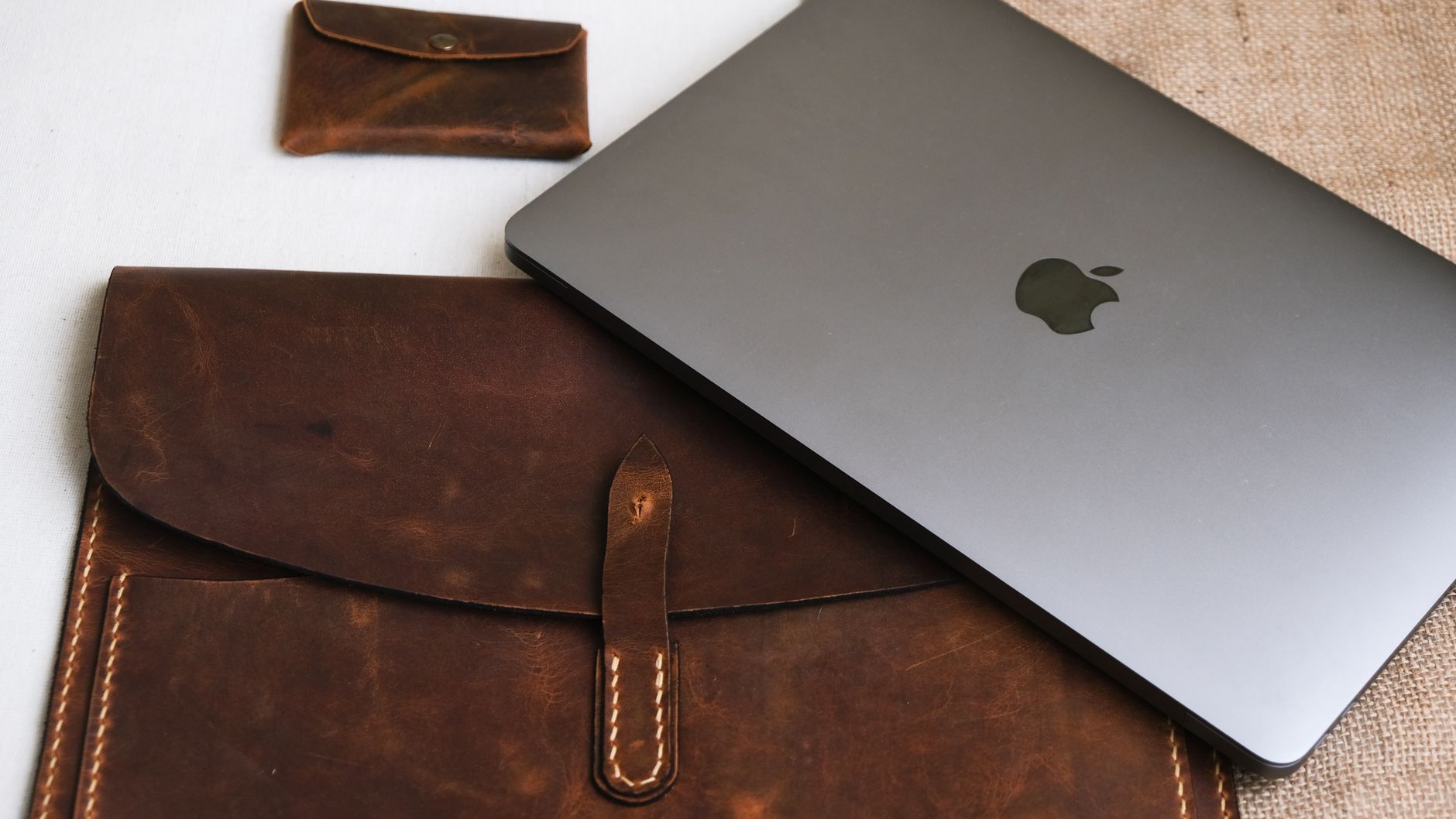
- Leather: Looks great, feels solid, and a quality leather macbook air sleeve will last years. Bulkier than you’d expect, and the price runs $50 to $120.
- Felt: Lightweight and tidy-looking, $15 to $60. Scratch protection is fine, but felt absorbs water rather than repelling it, which is worth knowing if you commute in rain.
Neoprene is probably the most practical choice for daily use. Leather is the one I’d pick if the sleeve is coming out at meetings and I cared how it looked. Felt is fine for a desk bag but I’d skip it for anyone walking to work in unpredictable weather.
Best Sleeves by Budget and Use Case
What works depends heavily on how you use your machine and what you’re willing to spend.
Budget-friendly ($10 to $40): The Tomtoc sleeve (around $30) has a padded shell and a couple of accessory pockets, which is more than you’d expect at that price. The Inateck 13-inch option runs about $25 and adds water resistance, so it’s a solid pick for commuters who don’t want to spend much.
Mid-range ($40 to $80): Mujjo’s leather macbook air sleeve sits around $70 and fits snugly without feeling stiff after a week. For the 15-inch model specifically, Tomtoc makes a larger version for about $50 with extra padding layers that actually make a difference if you toss your bag around.
Premium ($80 to $120): The Mujjo Wool Sleeve (around $90) is unusual, a wool-blend material that feels warm and looks distinctive. Worth noting that the felt isn’t water-resistant, which I think is a real oversight at that price point. The Incase Icon Sleeve at around $120 is the most protective option here, with a structured shell and a finish that holds up well over time.
Making the Final Call
Match the sleeve to how you actually carry your laptop, not how you imagine you might. If it lives in a backpack most of the day, padding matters more than looks. If you pull it out in coffee shops or client offices, something like the Mujjo leather sleeve makes more sense. And always cross-check the internal dimensions of any macbook air sleeve against your specific model’s measurements before buying, because the label alone will let you down.
FAQs
Will a 13-inch MacBook Air sleeve fit a 15-inch model?
No. The 15-inch model is significantly larger, and a 13-inch sleeve won’t close around it properly.
Do MacBook Air sleeves fit inside a backpack?
Most do, but check the sleeve’s outer dimensions against your bag’s laptop compartment, especially if you’re using a padded sleeve with extra bulk.
Is neoprene or felt better for a MacBook Air sleeve?
Neoprene, generally. It handles moisture better and is more durable for daily use; felt suits lighter, indoor carrying only.